Sarath Kochuparambil is a Junior Cloud Supporter at TwinCap First AG. In this blog post, he talks about how Microsoft Copilot has changed his daily work routine—and, above all, how important good prompting is in this context. Thank you, Sarath, for giving us an insight into your daily work with artificial intelligence:
When I started at TwinCapFirst, I knew that Microsoft 365 Copilot was capable of a lot. What didn’t immediately dawn on me, however, was the crucial role I would play in this. The quality of my instructions, my prompts, would change everything.
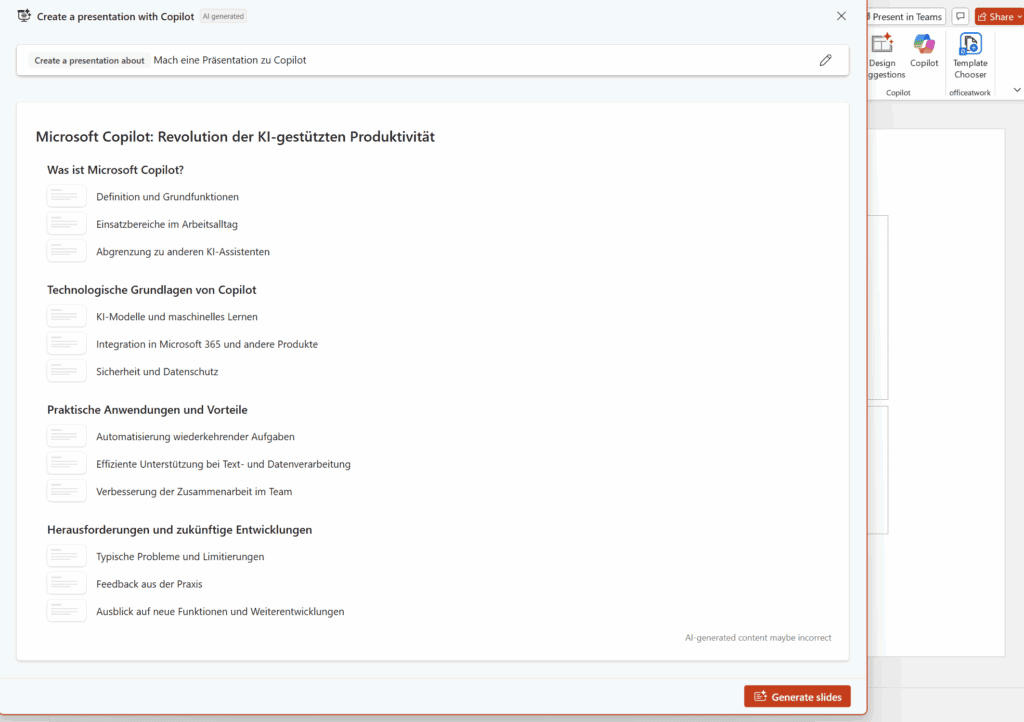
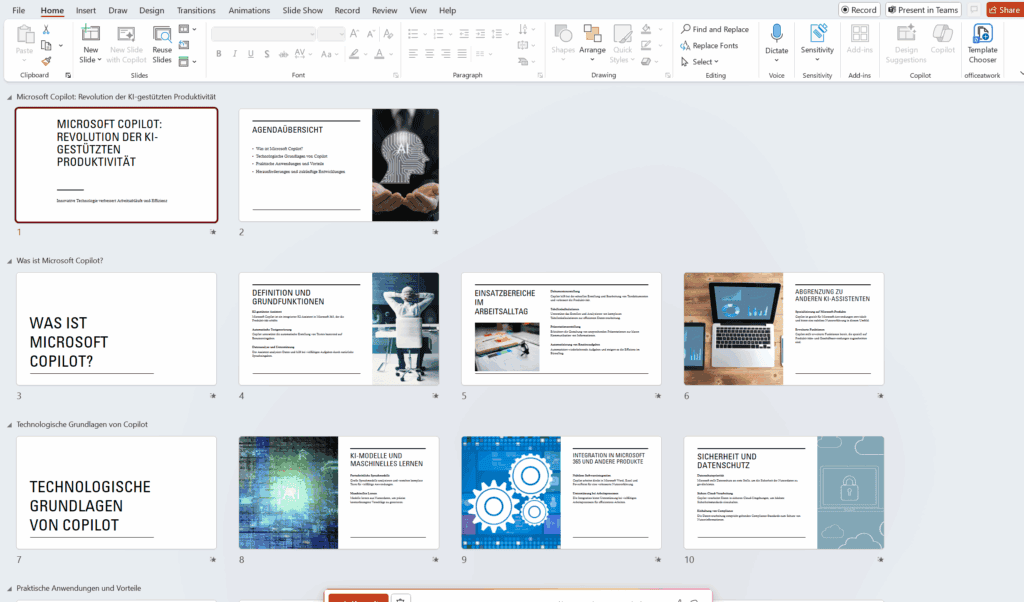
At first, I was groping in the dark. My requests to Microsoft 365 Copilot were tentative, uninspired, and unclear. A timid “Make a presentation about Copilot” led to a weak result: it was “a start,” but far from what I really needed.
Design a presentation with Microsoft CopilotA vague prompt leads to a weak first draft
Microsoft Copilot in everyday work: The moment it clicked
The turning point came when a customer workshop was coming up and I had to prepare a presentation. Instead of spending hours agonizing over slide designs, I tried a new approach—with a precise, well-thought-out prompt:
“Create a 20-slide presentation for a workshop on Microsoft Copilot for a Swiss SME. Use the Word file in the attachment, with a maximum of 4 bullet points per slide. Please also suggest appropriate graphics.”
The prompt provides clear instructions, a defined framework, and a clear goal. This allows the AI to deliver exactly the answer that is desired.
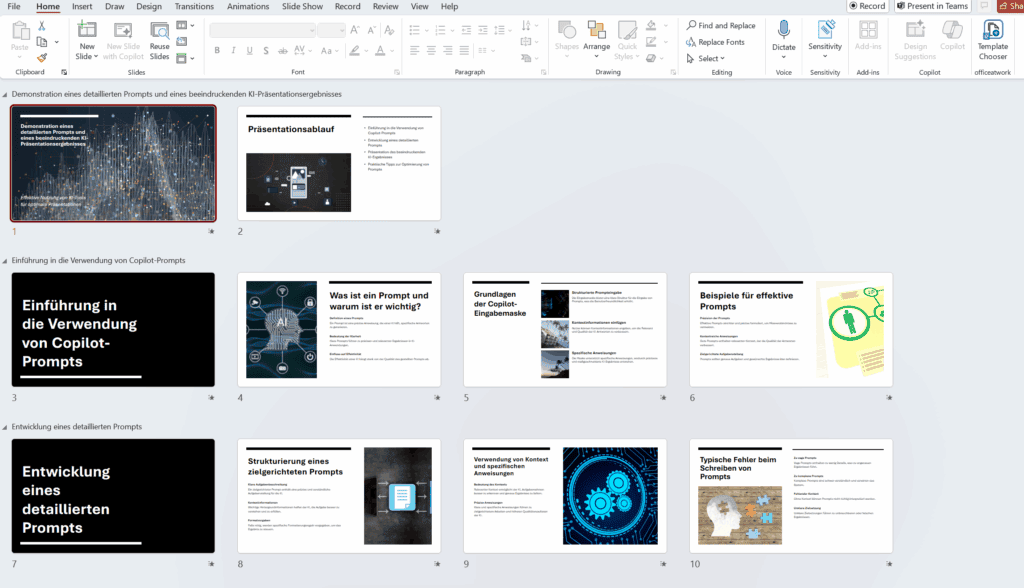
An insight into the optimized Microsoft Copilot presentation
The result blew me away. Not only was the presentation ready in a heartbeat, but it was also so brilliantly structured that all I had to do was add the finishing touches. That was the moment I realized that Copilot is not just an assistant, but a partner.
How Microsoft Copilot is changing my daily work routine
Since that experience, Copilot has become an indispensable part of my daily routine at TwinCapFirst. Here are three examples of how Microsoft Copilot makes my work easier:
Inbox under control
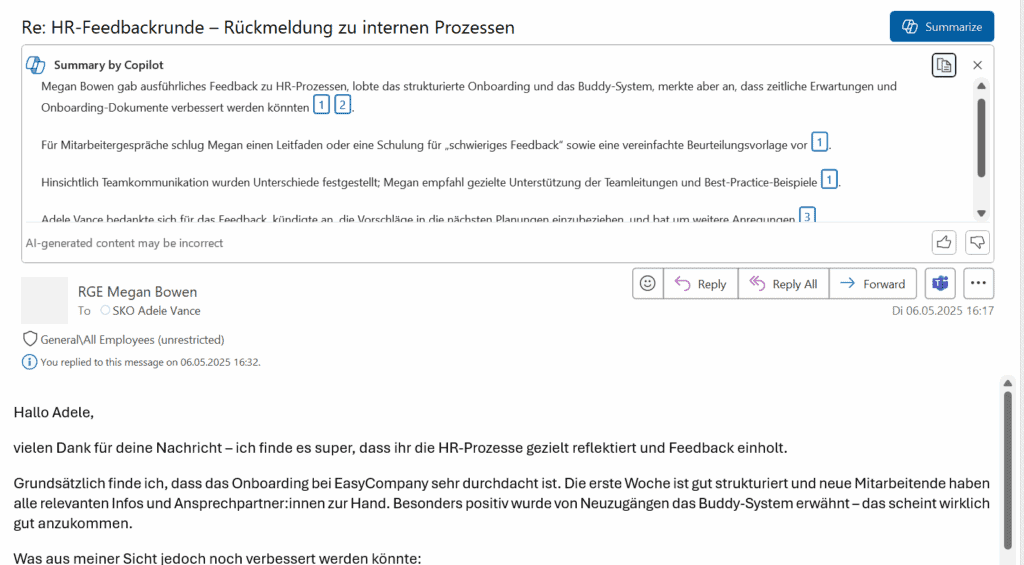
In Outlook, Copilot summarizes the longest email threads for me in five clear bullet points and directly provides a suitable draft reply.
Making data understandable
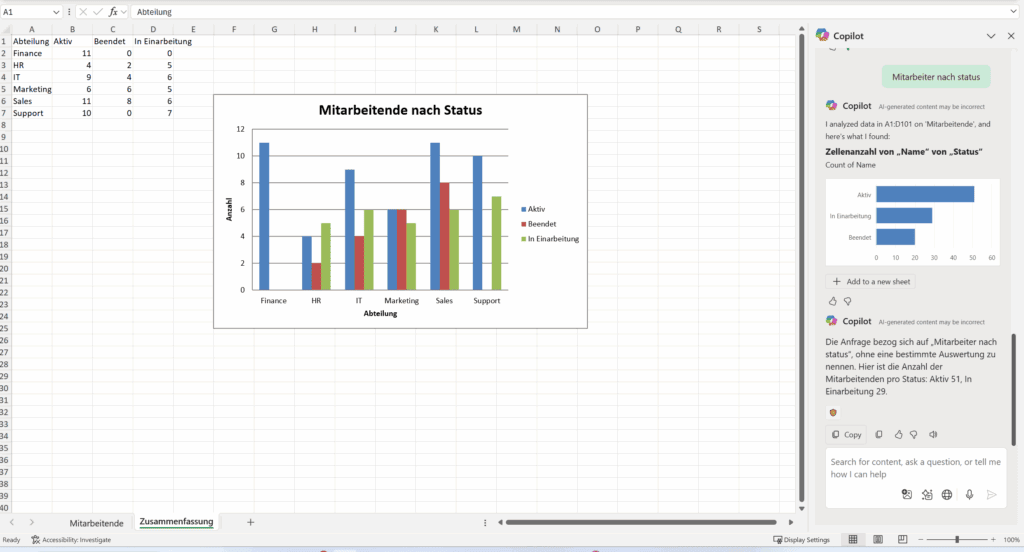
In Excel, simply saying “Analyze the tables and show me the three strongest trends with a chart” is enough to summarize complex data.
Meetings that have a lasting impact
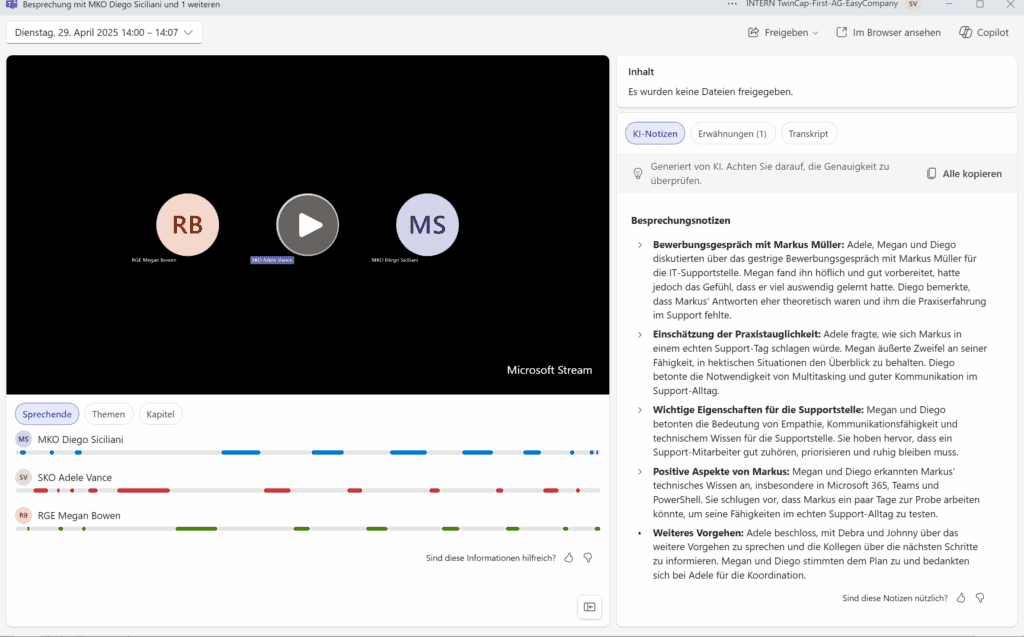
In Teams, Copilot automatically summarizes every meeting.
Get your own prompt inspiration for an optimized workday thanks to Microsoft Copilot.
Want to see what’s possible with Microsoft Copilot? Need tips on how to phrase your prompts correctly? Here are a few resources directly from Microsoft that helped me:
Microsoft Copilot: More than just saving time in your daily work routine
The use of Microsoft Copilot and the associated new way of working has brought about a fundamental change at TwinCapFirst. Not just for me personally, but for the whole team. We not only save valuable time, but also complete projects much faster. Tasks that used to take us hours now take just minutes.
The most important thing I have learned is the art of precise communication with AI. Today, I pass this knowledge on to my colleagues and customers.
My conclusion: Good prompting is not rocket science, but a skill that can be trained. At TwinCapFirst, Copilot is no longer a nice extra – it is a real performer that takes work off our hands in a targeted manner.
Do you want to use Microsoft Copilot in your company too? Would you like to know what makes good prompting in Microsoft Copilot? Sarath Kochuparambil is happy to share his knowledge with you and your team colleagues. Book an introductory workshop now (duration approx. 1-2 hours, charged according to time spent). Please get in touch if you are interested..
Subscribe to our blog and never miss a post again. We will not spam you, but only inform you about new posts.
You might also be interested in these articles
Microsoft 365: EWS to Be Phased Out Starting in October 2026 – What Admins Need to Know Now
Modern cloud security requires constant adaptation. To keep interfaces future-proof, high-performing, and resilient against attacks, Microsoft is phasing out outdated protocols. Specifically, this affects ...
Security in SMEs: Why Perfectionism Is the Enemy of Good
The digital landscape is changing rapidly, and Swiss companies face enormous challenges. Storing data exclusively within the country or maintaining complete control over every ...
Book a Microsoft Teams meeting appointment with Christoph Schoch. After booking, you will receive an appointment invitation. There you will find a link for the Teams meeting. Of course you can also send us an e-mail or call us directly.