Microsoft 365: New Setting for Data Location – Check by December 14, 2026
Microsoft is introducing a new tenant setting that determines whether your Microsoft 365 customer data remains stored in Switzerland or may be stored regionally ...
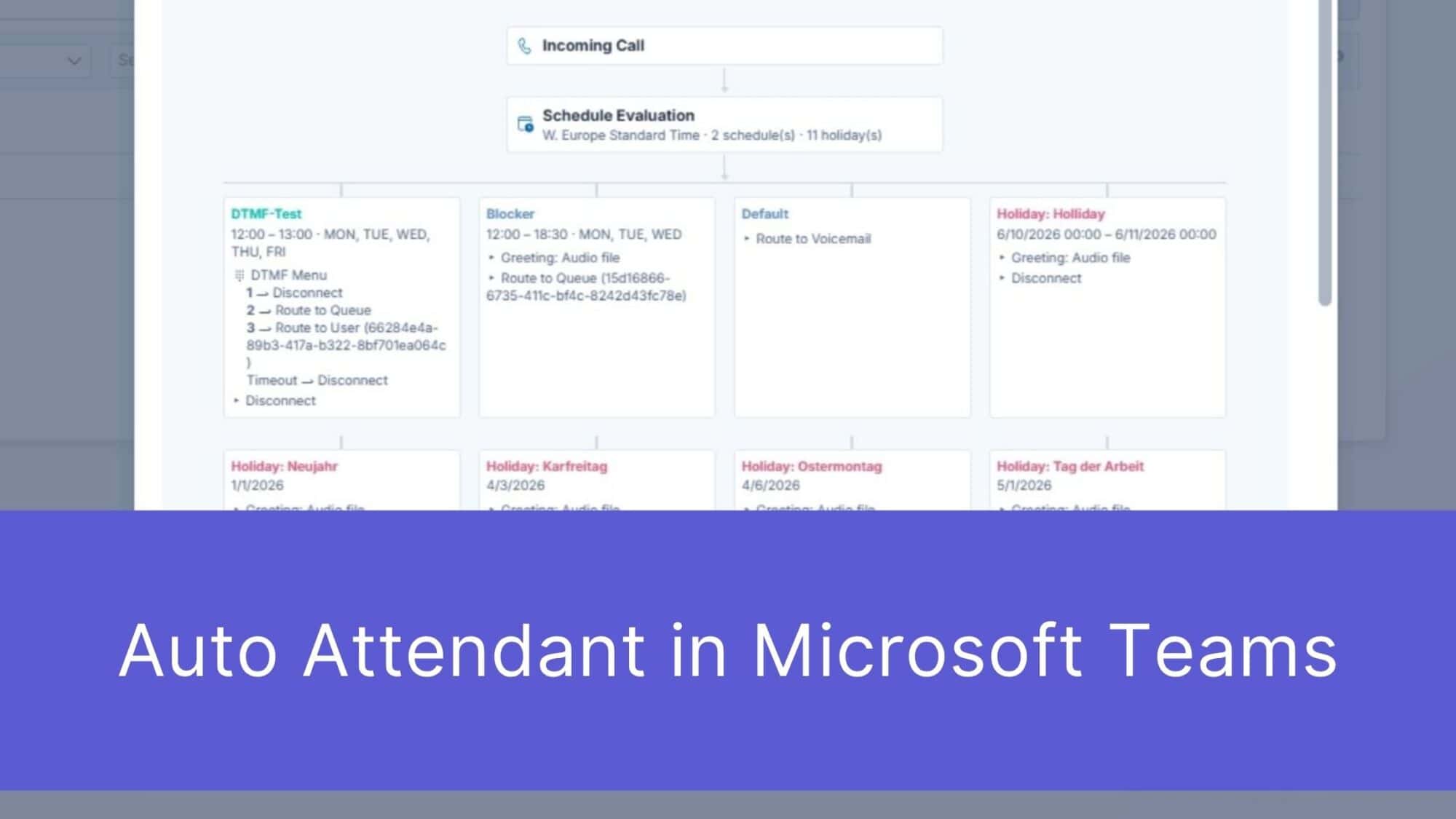
First impressions matter – and that’s truer than ever in the digital age. When a potential customer picks up the phone to contact your company, the speed and professionalism displayed in those first few seconds determine the course of the business relationship. It is precisely at this point that an automated phone system (Auto Attendant) acts as a digital business card and an automatic guide behind the scenes. For businesses of all sizes, seamless telephone accessibility is the absolute foundation of excellent customer service. Many companies already use Microsoft Teams for their telephony. However, anyone who tries to implement sophisticated call management using only the standard built-in tools included in Microsoft 365 will quickly run into functional hurdles in day-to-day customer service.
An auto attendant is far more than just a pleasant recorded message. It organizes incoming calls, reduces the workload on the reception desk, and directs callers directly to the right department without detours. Whether it’s support, sales, or accounting: A well-designed call flow ensures that inquiries are immediately routed to the right contact person. This saves valuable work time and drastically reduces frustration on the customer’s end. After all, nothing is more annoying than endless hold times or being constantly transferred from one person to the next. Effective call management builds trust, conveys professionalism, and ensures your company is always reachable – around the clock.
Microsoft Teams offers solid basic features out of the box. To avoid misunderstandings: Microsoft does offer advanced options through add-on licenses such as Teams Premium and the Queues App. However, if you rely solely on the standard calling features included in the basic plans, you’ll miss out on crucial convenience and automation features in day-to-day service operations:
Modern customer service thrives on automation. Why should an administrator manually enter holidays into the telephony system when this data is readily available? The standard version of Microsoft Teams simply doesn’t offer a straightforward way to import a calendar. This greatly increases the risk of errors – if you forget to enter the data manually, customers will get a busy signal on Easter Monday.
Although Microsoft Teams can map exception rules for each holiday, managing this becomes quickly overwhelming when dealing with multiple locations that have different cantonal or regional holidays. There is a lack of centralized, fast profile management specifically tailored to the needs of SMBs.
Arguably the biggest risk to your business: Calls received by the Teams-native auto-attendant outside of regular business hours are simply invisible in the standard system. If a potential new customer dials your number in the evening and hangs up in frustration, you’ll never know. There’s no central dashboard that clearly shows you these missed leads. As a result, valuable business potential is lost without you even noticing.
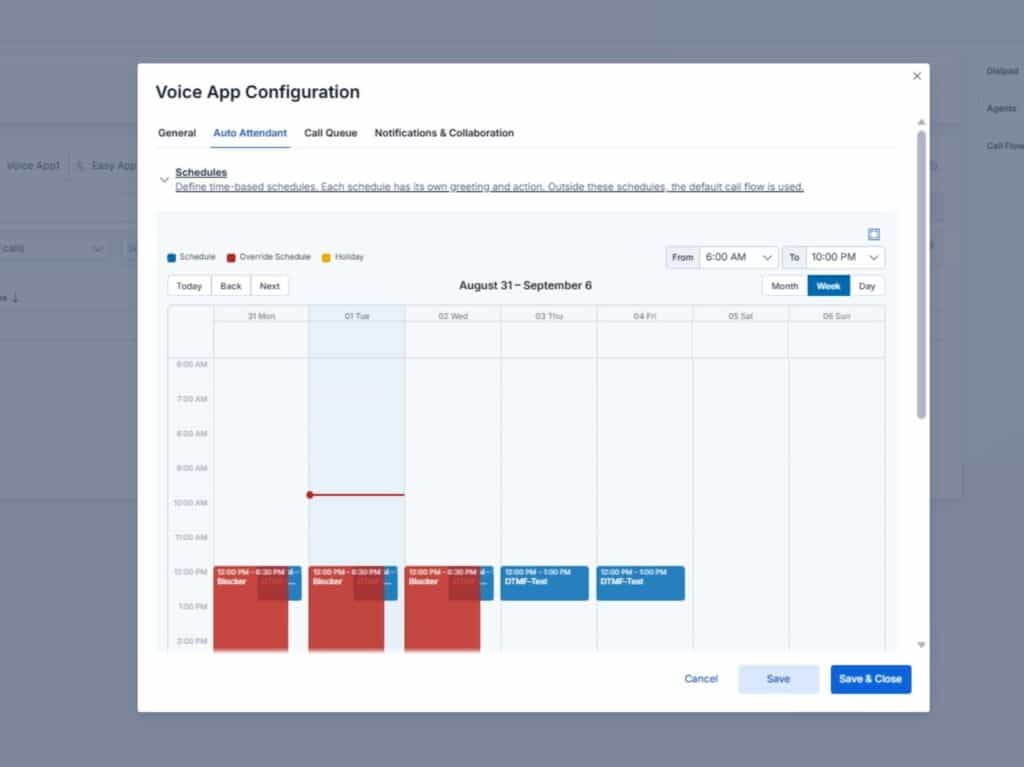
This is exactly where Easy Calling bridges the gap: We transform Microsoft Teams into an intuitive, full-featured contact center – natively integrated and ready to use right away. Instead of relying on expensive add-on licenses like Teams Premium, the Basic version of Easy Calling now includes an optimized automated call center within Microsoft Teams.
Through the user-friendly configuration center (the Easy Platform), you can manage your service lines independently and flexibly:
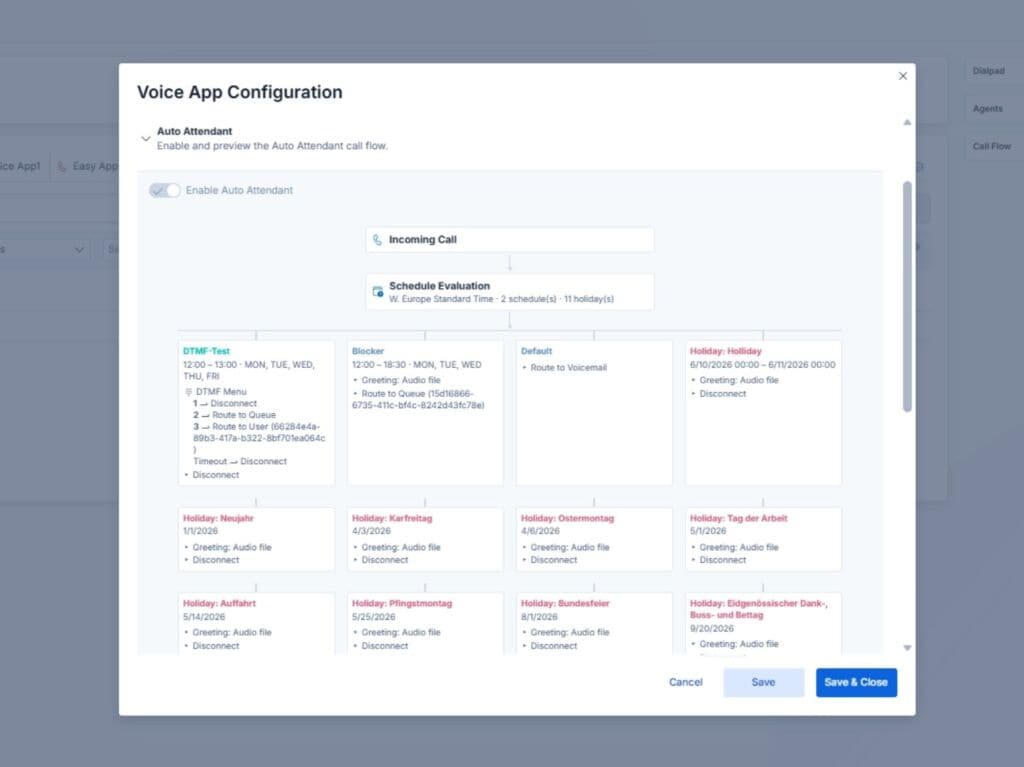
Easy Calling doesn’t just handle call routing. It offers small and medium-sized businesses everything they need for modern customer service:
First-class phone accessibility doesn’t have to be complicated or unaffordable for SMBs. While the standard version of Microsoft Teams has functional limitations and often ties extensions to expensive additional licenses, Easy Calling delivers a perfectly tailored all-in-one package.
From the time-saving auto-attendant with holiday logic to real-time dashboards and CRM integration: You’ll get the most out of your Microsoft Teams telephony. Transparently, natively, and ready to use right away.
Ready to upgrade your customer service? Then you need the automatedTelefonzentrale für Microsoft Teams. Try Easy Calling now for free oder book an appointment with our experts!
This article was created with the assistance of AI and its content was reviewed by TwinCap First AG.
Subscribe to our blog and never miss a post again. We will not spam you, but only inform you about new posts.
Microsoft is introducing a new tenant setting that determines whether your Microsoft 365 customer data remains stored in Switzerland or may be stored regionally ...
Modern cloud security requires constant adaptation. To keep interfaces future-proof, high-performing, and resilient against attacks, Microsoft is phasing out outdated protocols. Specifically, this affects ...

The digital landscape is changing rapidly, and Swiss companies face enormous challenges. Storing data exclusively within the country or maintaining complete control over every ...

Anyone who makes calls using Microsoft Teams is probably familiar with this situation: The phone rings, but instead of a name, only a phone ...
Book a Microsoft Teams meeting appointment with Christoph Schoch. After booking, you will receive an appointment invitation. There you will find a link for the Teams meeting. Of course you can also send us an e-mail or call us directly.
If you have any questions, please use our Help Centre and/or open a ticket for your request.